How to Get ALGO Proxy Token
How to Get ALGO Proxy Token
Hello everyone, so we meet again in another guide. As the title says, this article is a guide on how to get a Proxy Token on the new ALGO Proxy site
Note!
The Web App interface may change compared to this guide but will not be significantly different.
Step 1: Log in to our system
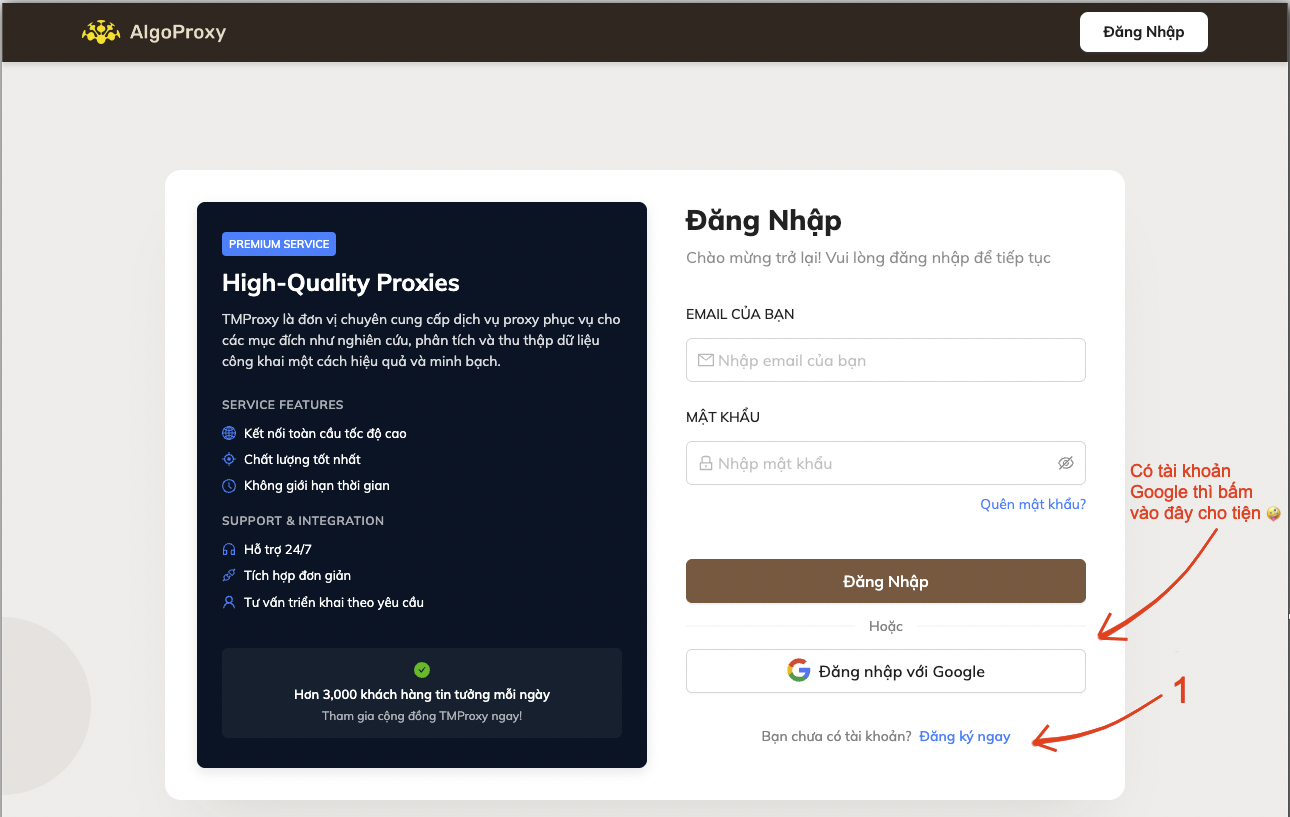
- You can create an account or use your Google account to log in directly.
- Don’t know how to create an account?
👇 Click here to see how to create an account
- Click Register Now on the login screen on the homepage
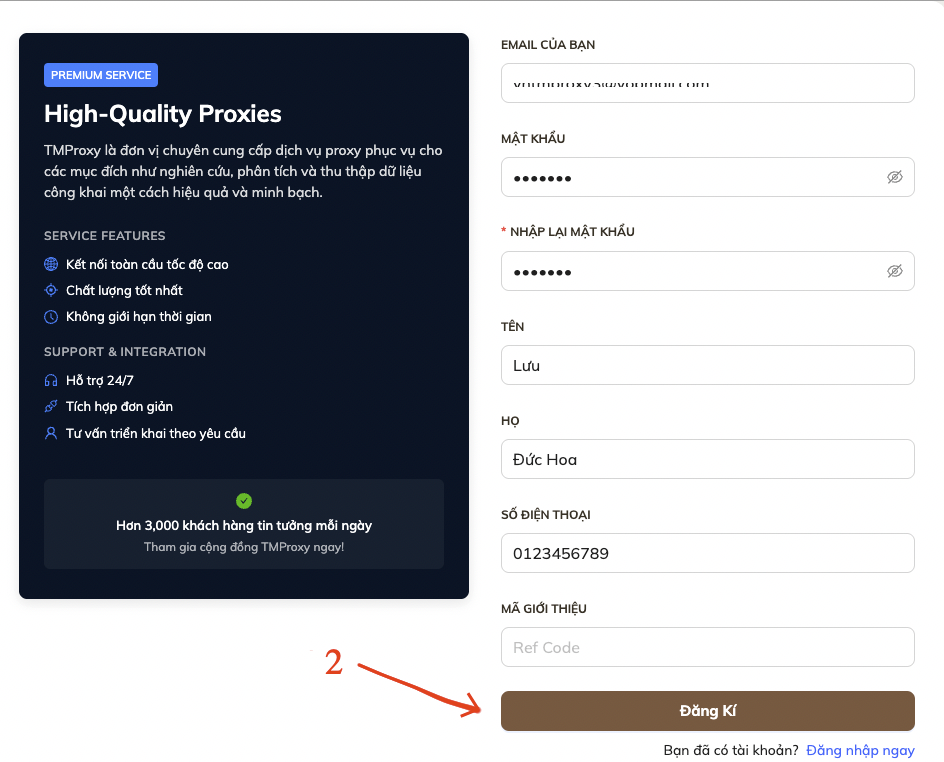
- Fill in your information in the corresponding fields, then click Register
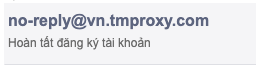
- Open the email you just used above, you will receive an email like this
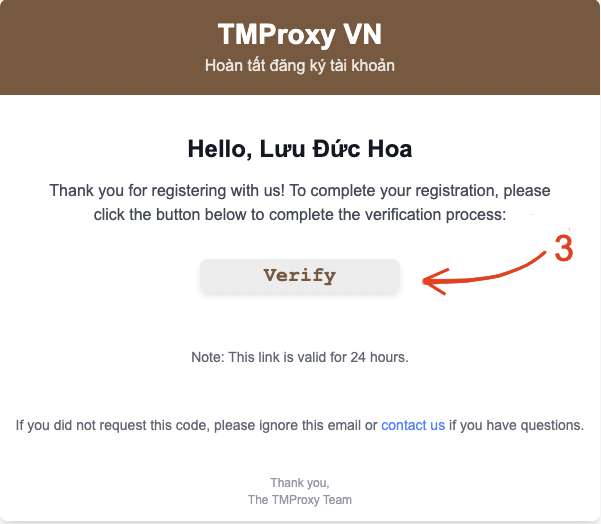
- Open that email and click Verify
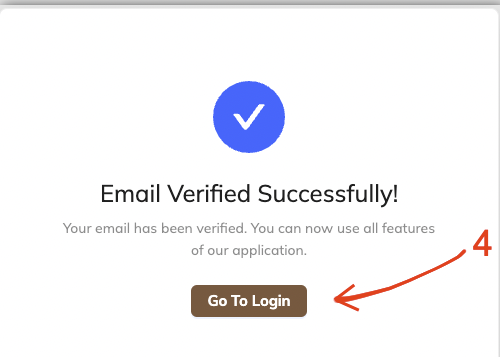
- If a window like the one below appears, your registration was successful. Click Go to login to return to the login screen.
Step 2: Top up your account to buy a package
- After successfully creating an account, you must top up to use our services.
👇 Click here to see how to top up
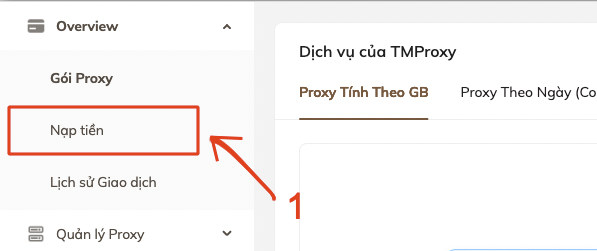
- On the main screen after logging in, click Top up at the top left corner.
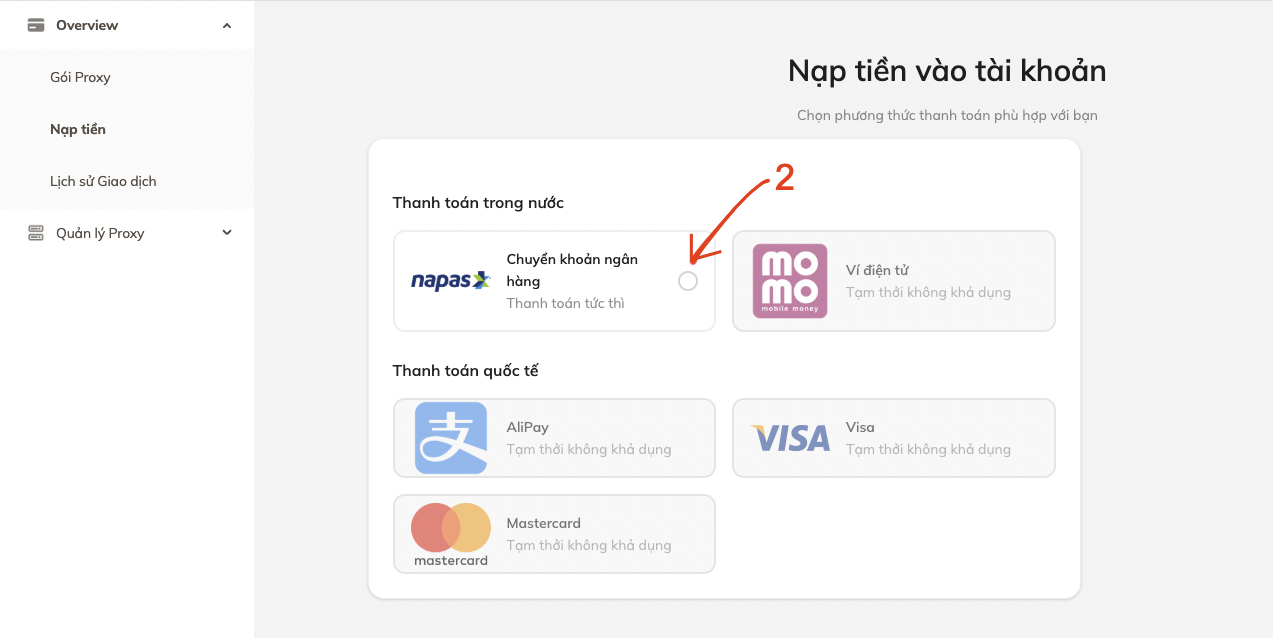
- Select the payment gateway you want.
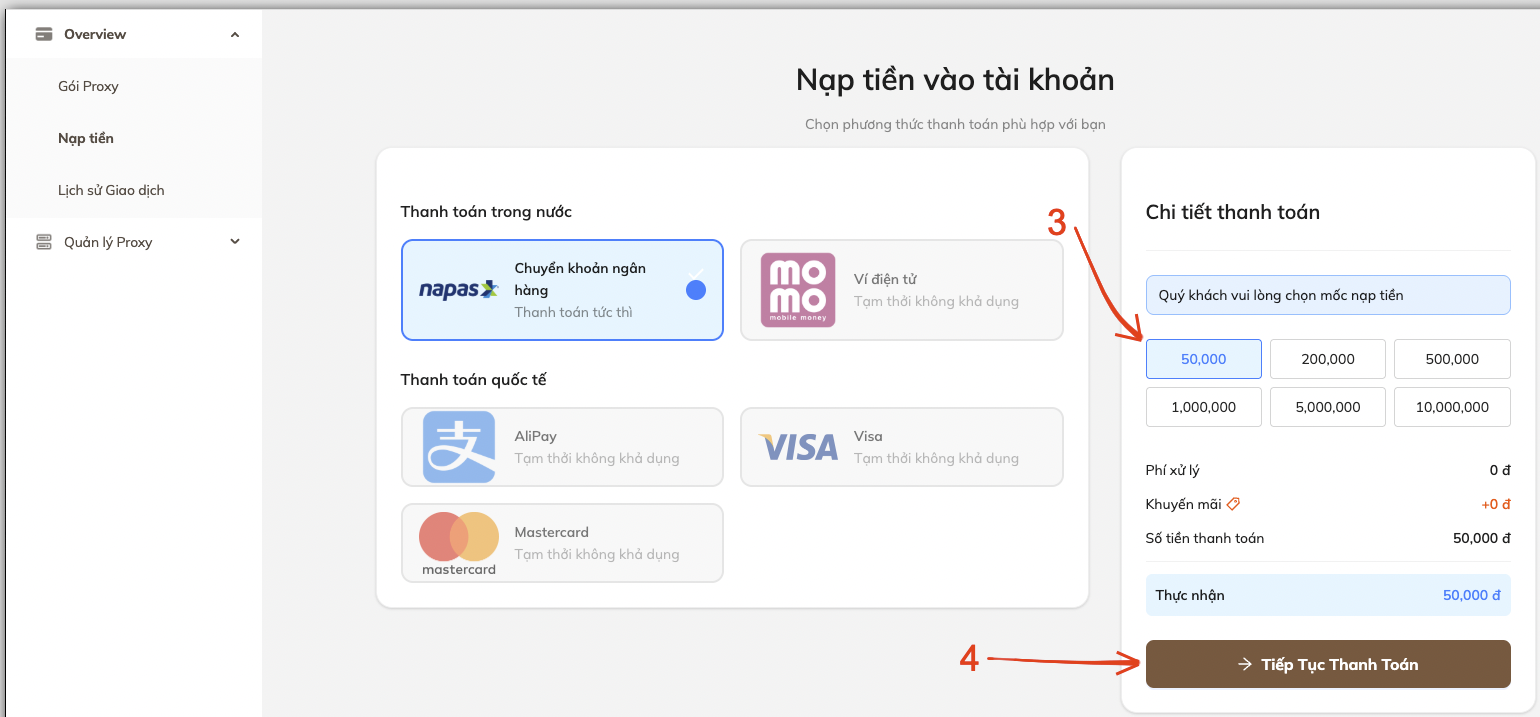
- Select the amount you want to top up.
- Click Continue to Payment
- Scan the QR code to pay. Or you can transfer manually using the information provided on the screen.
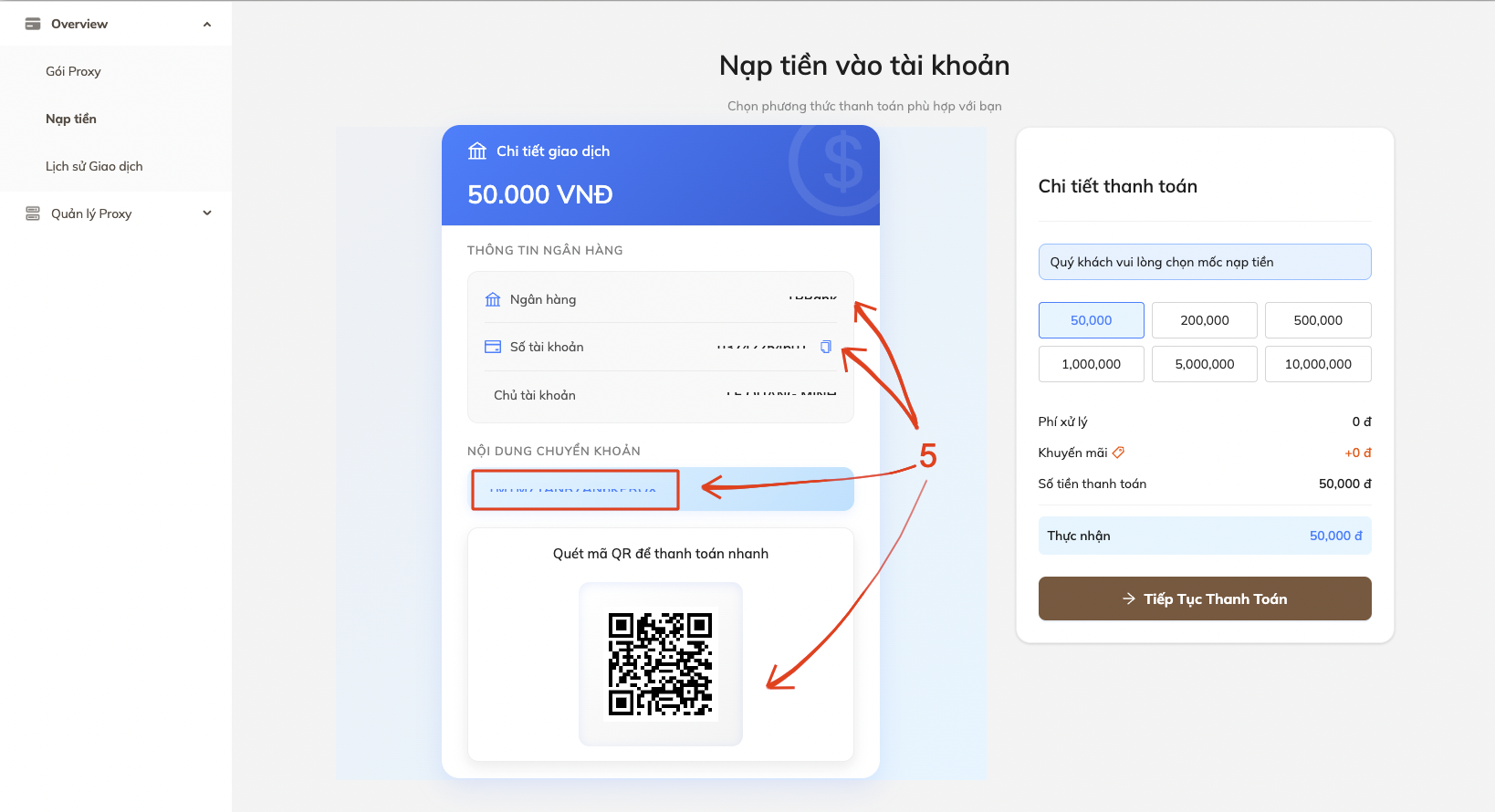
Note!
If you transfer manually, please make sure to enter the EXACT TRANSFER CONTENT. This is very important!
Step 3: Buy a package
- Once your account balance is updated, proceed to buy a package to use.
👇 Click here to see how to buy a package
- On the main screen after topping up, click Proxy Packages at the top left corner.
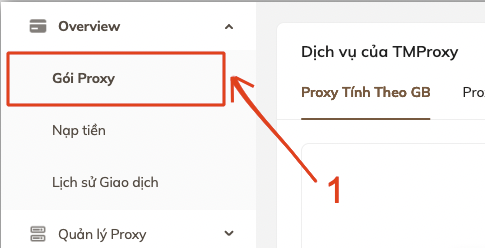
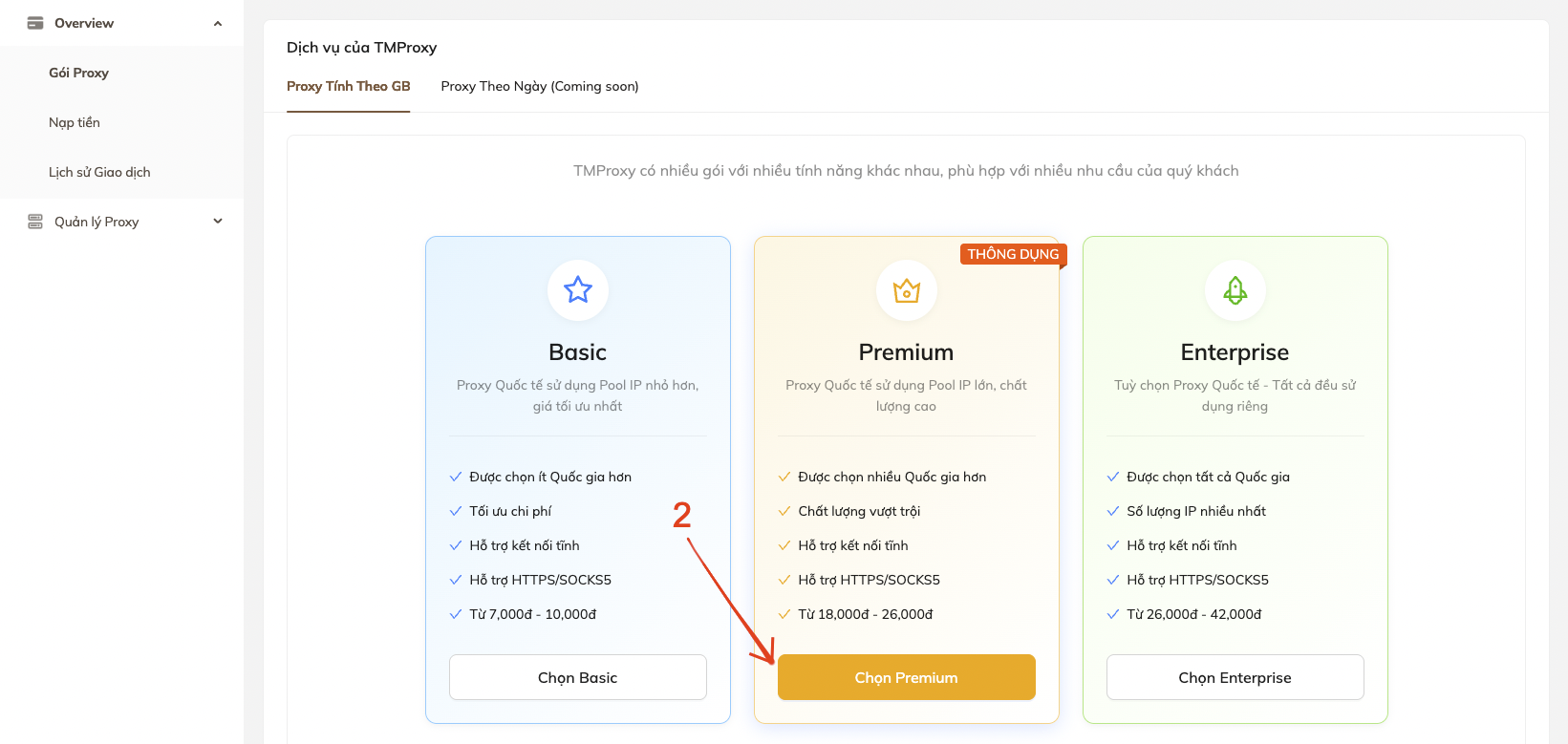
- Choose a package that suits your needs. In this example, we Choose Premium
- Choose the desired price option. Click Select to Buy
- Click Confirm Purchase
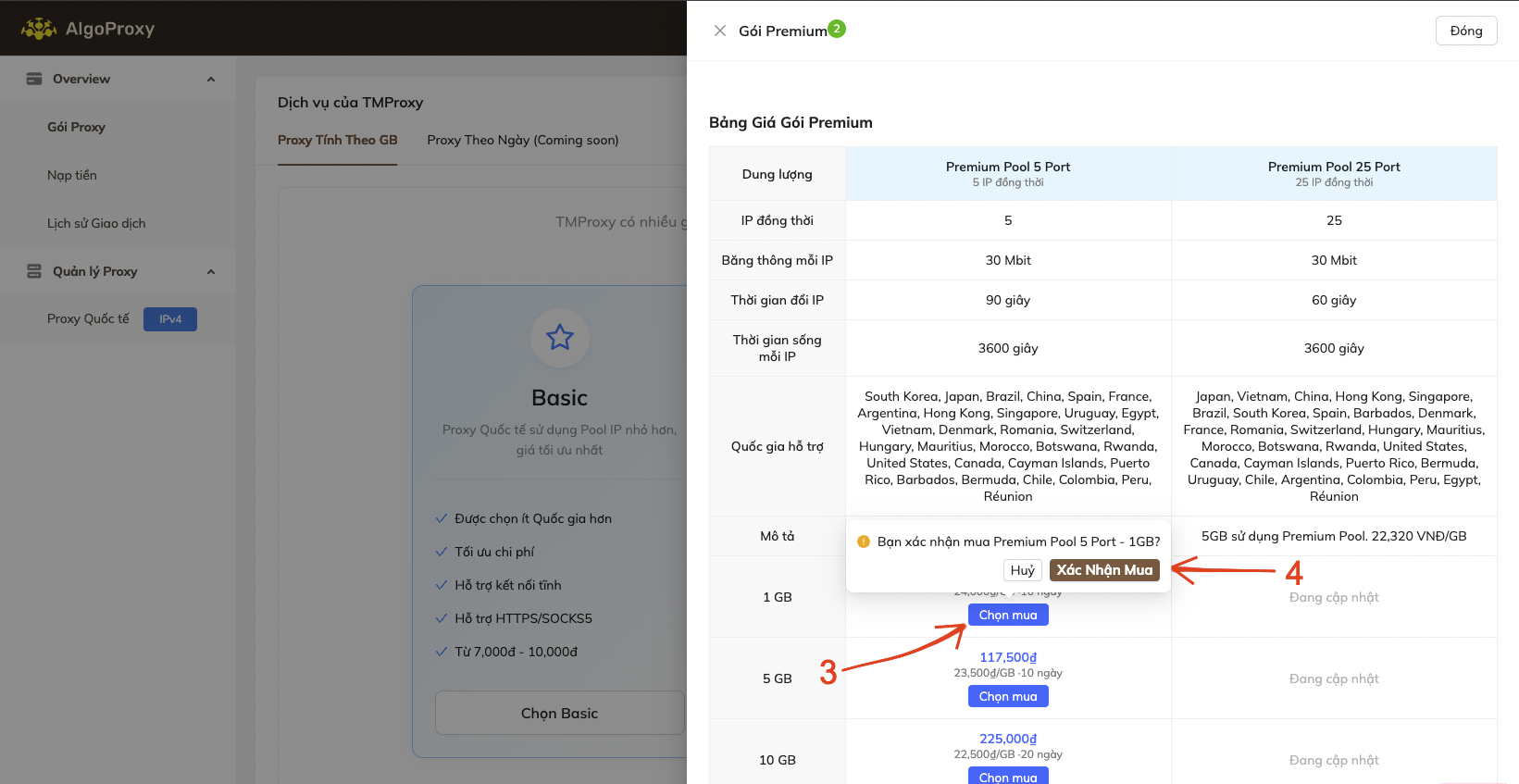
Step 4: Get the Proxy Token
After successfully buying a package, on the top left corner of the page
- In Proxy Management, click the dropdown arrow icon ∨
- Click International Proxy
IPv4
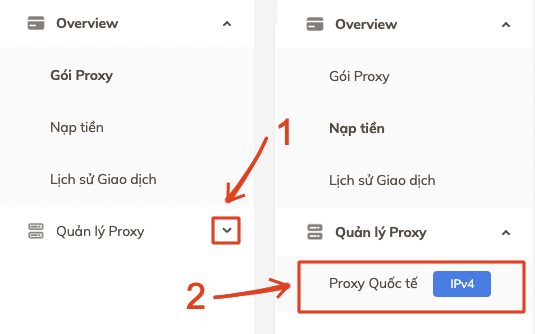
- The Proxy Management window will appear. Click
∨ View Details
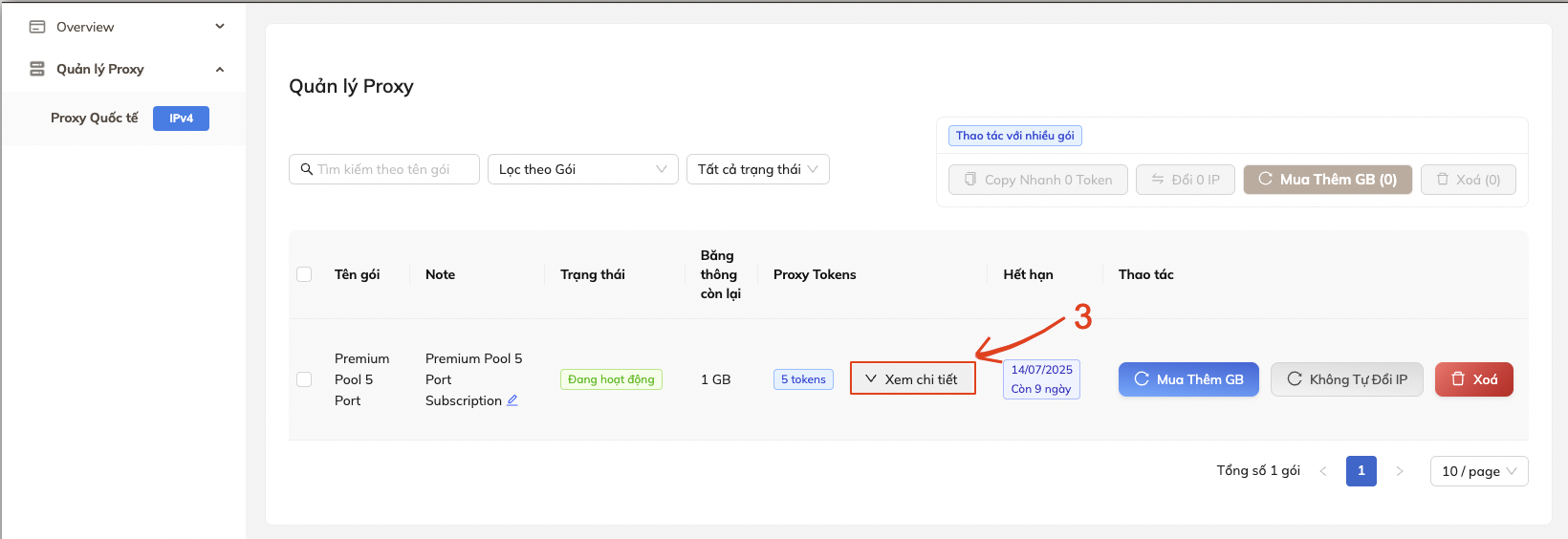
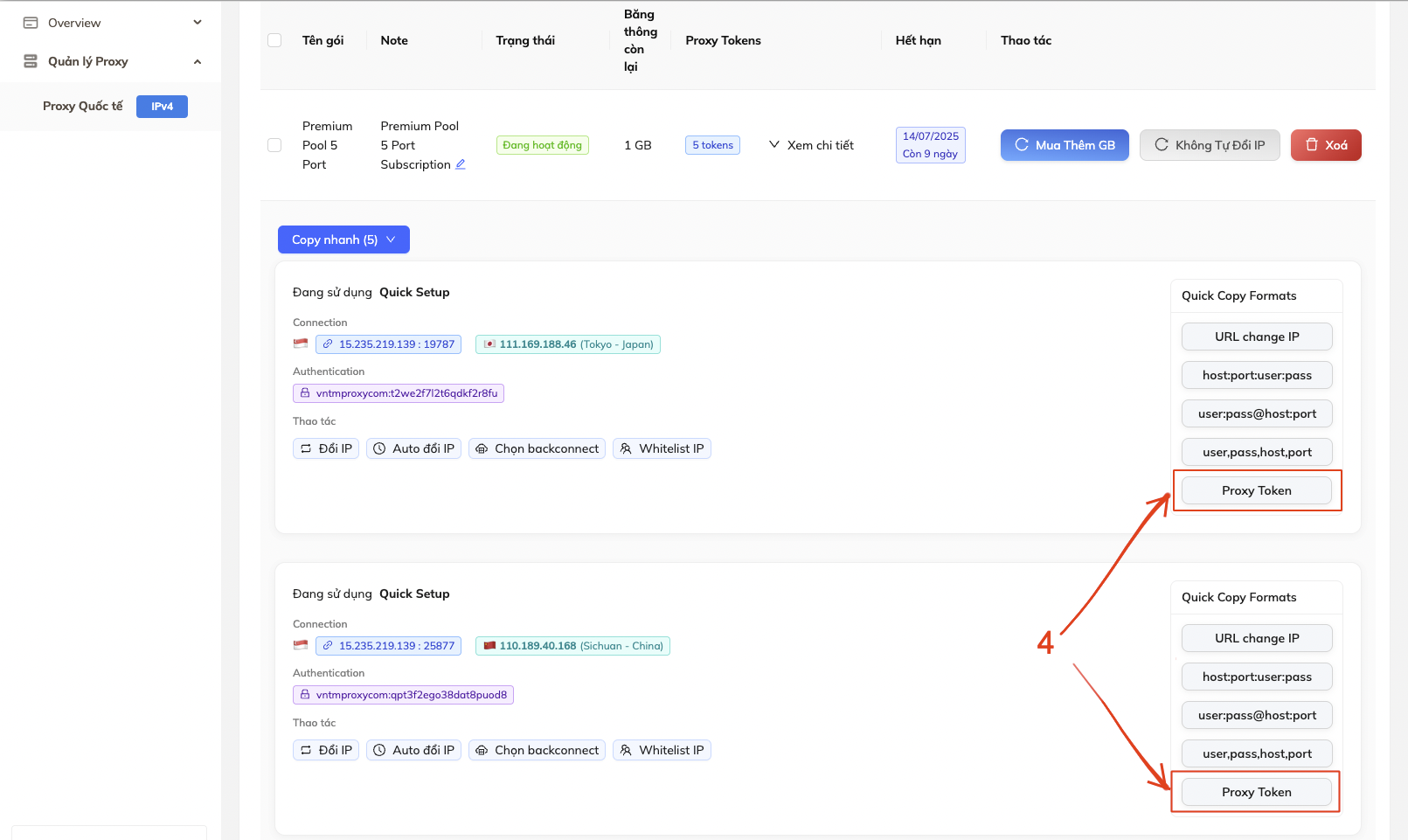
- On the right side of each Token, there is a
Proxy Tokenbutton
Click that button to copy the Proxy Token.
You can also get all Proxy Tokens of the entire package by clicking Quick Copy
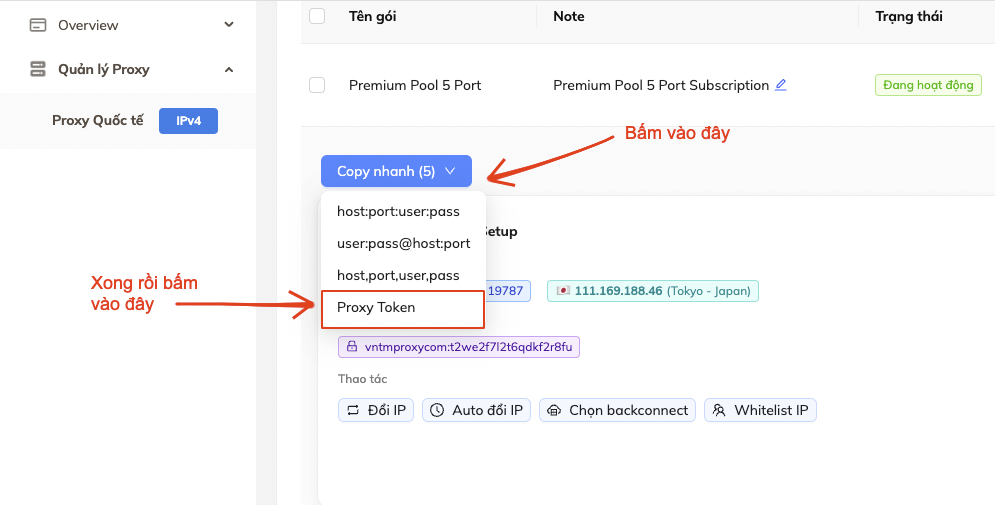
And that’s it. You have successfully gotten your Proxy Token. Good luck!
So this guide ends here, see you in the next one!