How to use TMProxy with Hidemium
What is Hidemium?
Hidemium is specialized anti-detect browser software.
Simply put, it helps you create and manage mass online accounts (Facebook, eBay, Amazon, Etsy, Coin/Airdrop, etc.) on the same computer without being detected and banned by these platforms for suspected “duplicate users.”
Key features of Hidemium
- Multi-account management: Log in to hundreds of Facebook, Gmail, Shopee accounts simultaneously on a single interface.
- Automation: Supports automated scripts (account farming, interaction, web surfing) to save manual effort.
- Flexible IP changing: Easily integrates with various Proxies (HTTP, Socks5…) so each profile has a unique IP address.
- Teamwork: Allows sharing profiles with other team members without manually sending passwords or cookies (avoiding checkpoints).
Visual guide to using TMProxy with Hidemium
Download and Installation Guide
Download and extract the software suitable for your operating system below
After downloading, run the installation file and follow the simple steps like installing other software. Create an account and log in to use.
Guide to using TMProxy with Hidemium
After logging in, you will see the interface below.
Click “(+) Add Profile” to add a new Profile.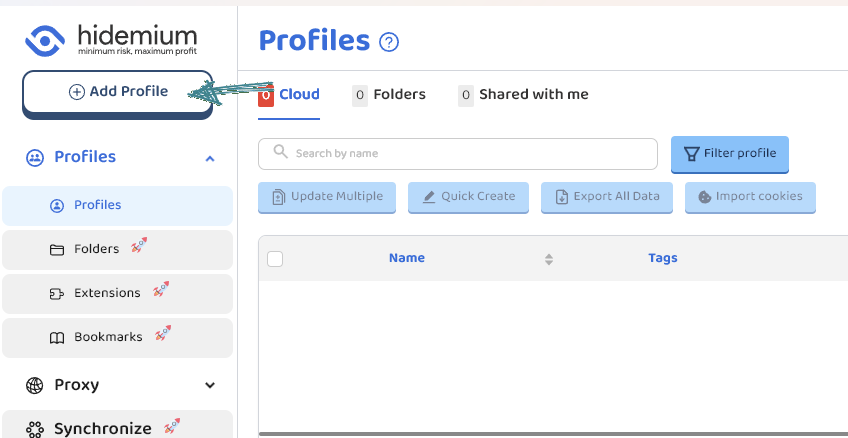 Customize the parameters to fit your usage needs. Since this is a proxy usage guide, I will skip directly to that section.
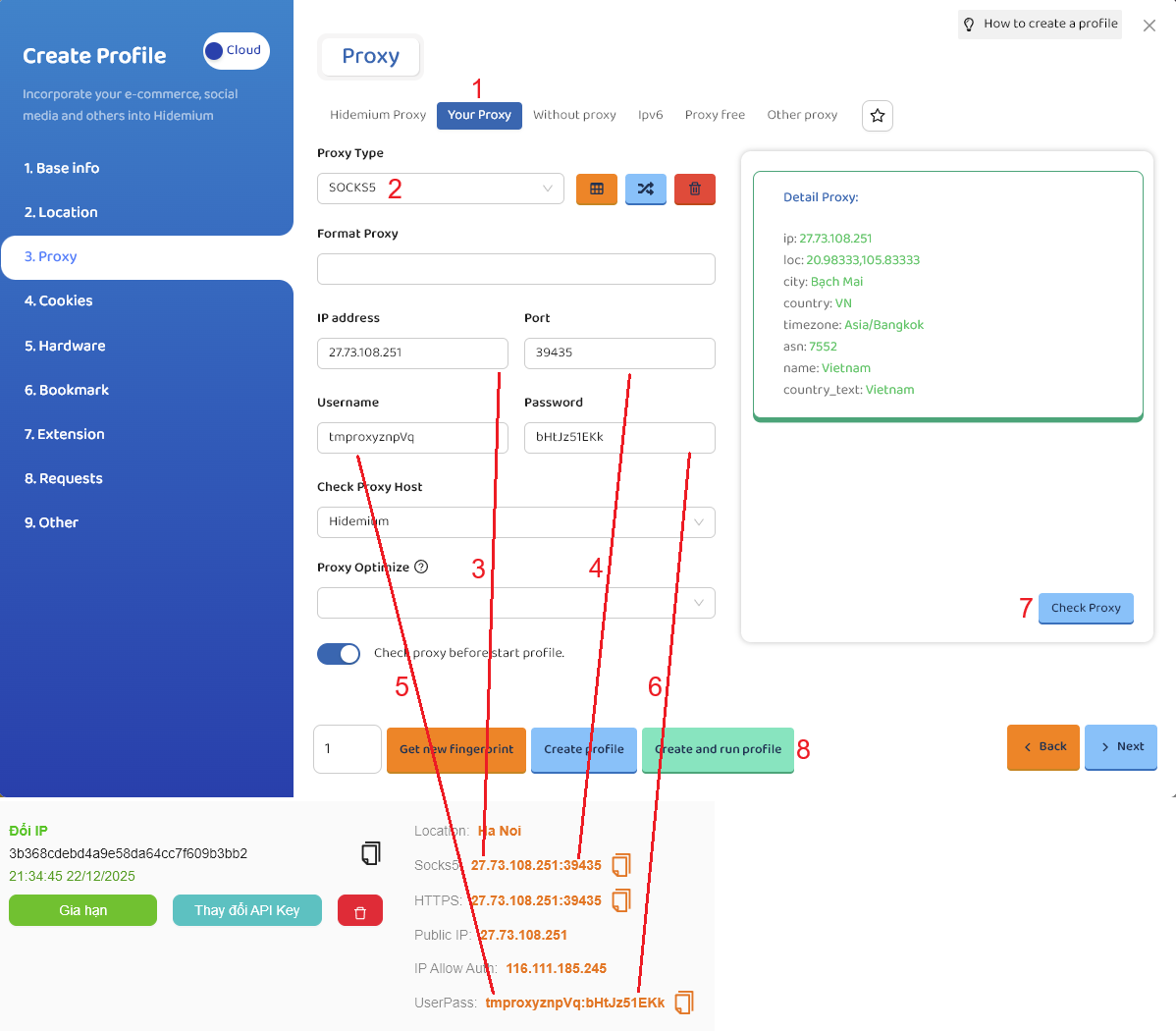
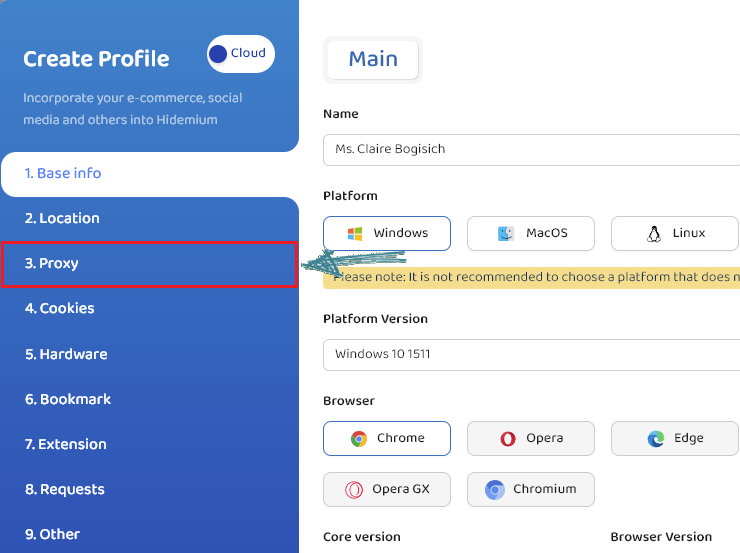 Follow the steps below:
- Select “Your proxy”
- Select “Socks5” or “Http”. Here I choose “Socks5”
- Proxy IP
- Proxy Port
- Proxy Username
- Proxy Password
- After entering full proxy info, click “Check Proxy” to verify
- Select “Create profile” or “Create and run profile”
- Detailed steps are in the image below.
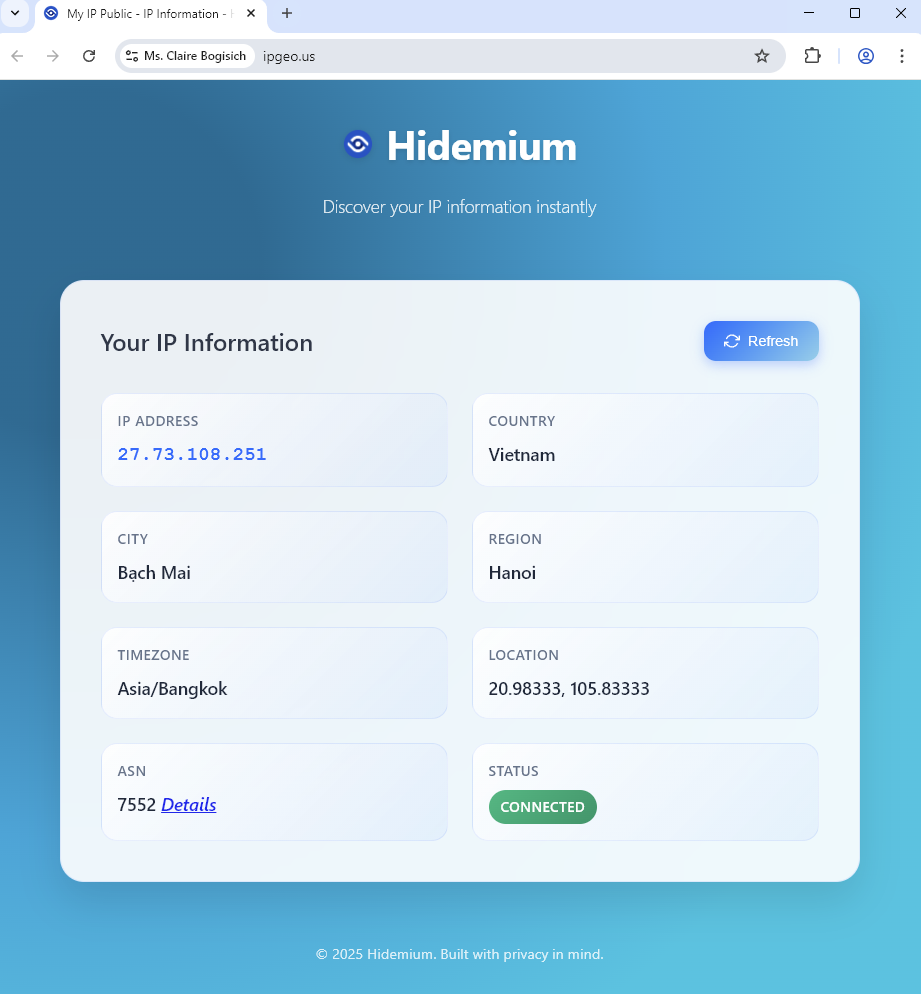
- A result like this means success.
Above is the article How to use TMProxy with Hidemium. It is quite simple; you can experience other functions that we haven’t covered yet. Wish you success!
In addition, we have many instructions for using http proxy / socks5 on various software and tools. Please click the link https://docs.tmproxy.com/guide/
Note!
To use the auto IP rotation function, you must configure settings on the TMProxy Manager software (click here to download software). View TMProxy Manager usage guide here.
Disclaimer:
TMProxy is not affiliated with the developers of Hidemium. This guide is for informational purposes only.
Start with us at:
- website: https://tmproxy.com/
- Fanpage: https://www.facebook.com/TMProxy