TMProxy Manager
What is TMProxy Proxy Manager?
TMProxy Proxy Manager: is a Proxy management tool from TMProxy, making it easy to control and manage your Proxy addresses on browsers or software. The tool is often used to manage multiple Proxy IP addresses for different purposes.
Features:
- Manage multiple Proxies at the same time: Can easily add, delete, and update the Proxy list.
- Auto IP change: Automatically change IP address according to the set time, useful for tasks that require continuous dynamic IP.
- Security and privacy: Provides secure Proxy IP addresses, helping to protect privacy while browsing the web.
How to use TMProxy Proxy Manager
1. Download and install TMProxy Proxy Manager
Turn off Window Defend to avoid errors during download
- Software download link: https://tmproxy.com/api/doc/TMProxyManager.zip
- Extract the file “TMProxyManager.zip”
- Run the “TMproxyManager” software with Admin rights (run as administrator)
2. Using TMProxy Proxy Manager
a. Bring the Proxies you are using and have used on the TMProxy page to TMProxy Proxy Manager
Click on the Proxy you want to use (or click on the note box to select all Proxies at the same time) ☒ Export ☒ confirm.
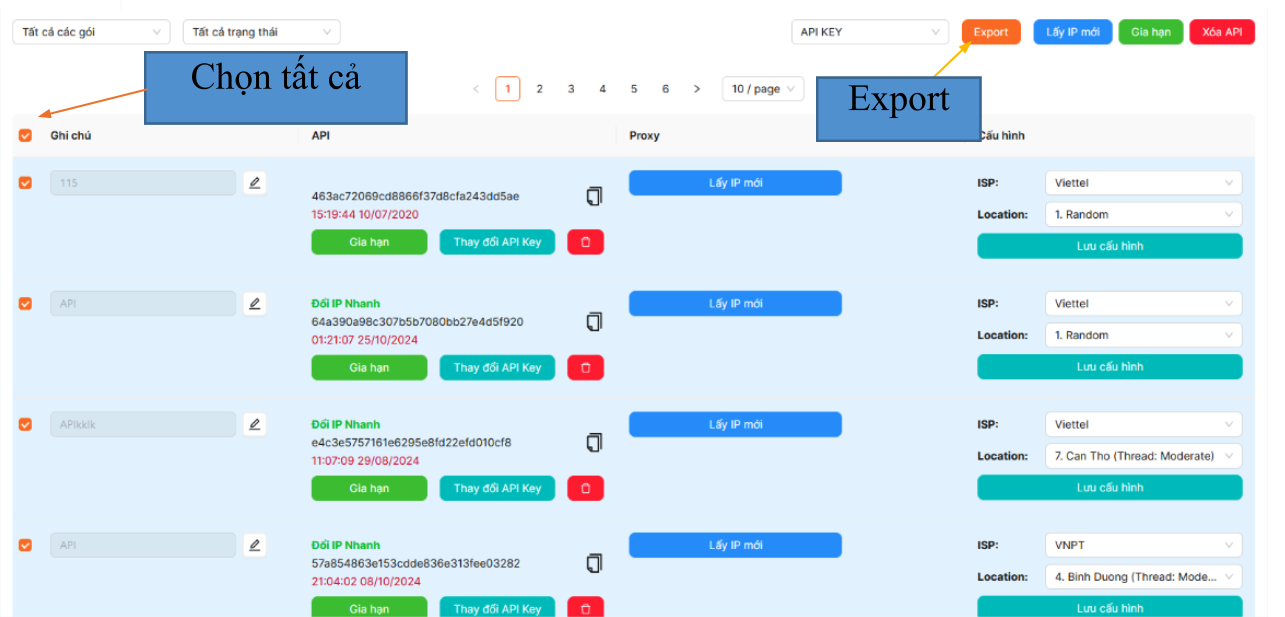
Go to TMProxy Proxy Manager, select the (+) icon on the API key receiving line
☒ Ctrl V ☒ Add API.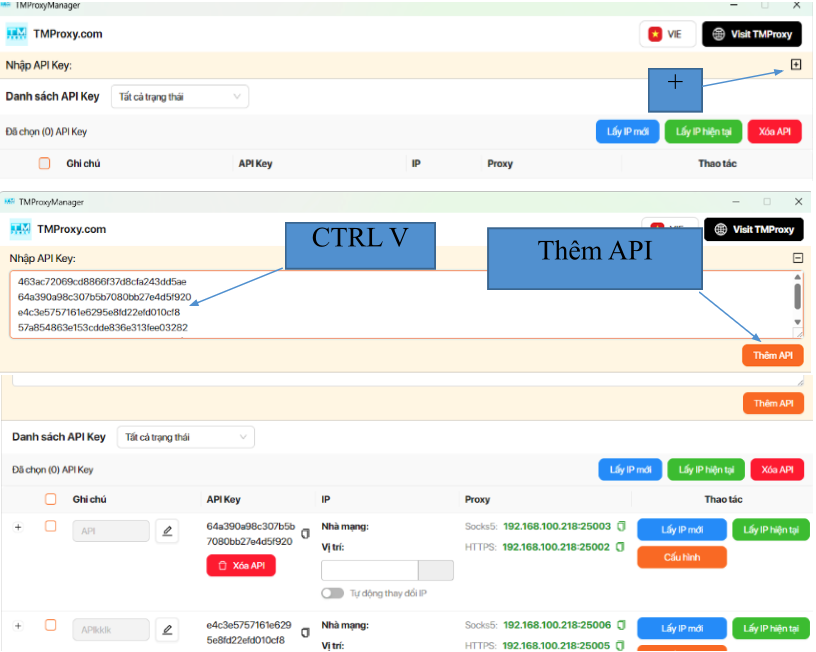
Successfully added Proxies to TMProxy Proxy Manager
b. Setup Proxy in TMProxy Proxy Manager
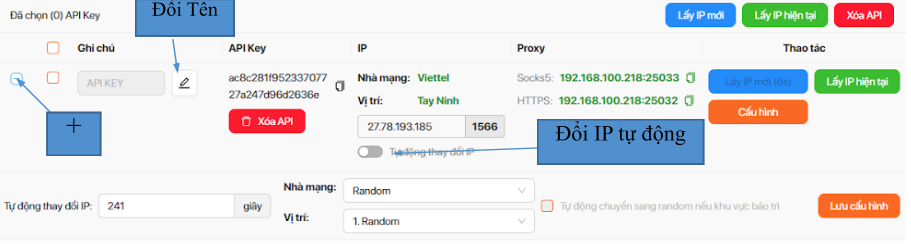
After successfully adding Proxies to TMProxy Proxy Manager. Select the Proxy in use in the note section, select the (+) sign on the left side of the screen to change the network provider, location and time to automatically change the IP ☒ select save configuration. Select the edit icon to rename the API KEY.
If the job needs to change IP continuously, turn on automatic IP change in the IP section.
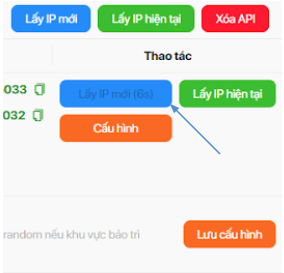
Get new IP manually. Select get new IP in the operation section.
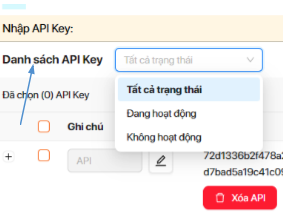
To track which Proxy is active, inactive or all Proxies are available, select the API KEY list.
Thank you for using TMProxy’s service. We hope our instructions on using TMProxy Proxy Manager are helpful to you. We wish you a great experience using our service.